Interesting info on the prompts controlling the LLMs.
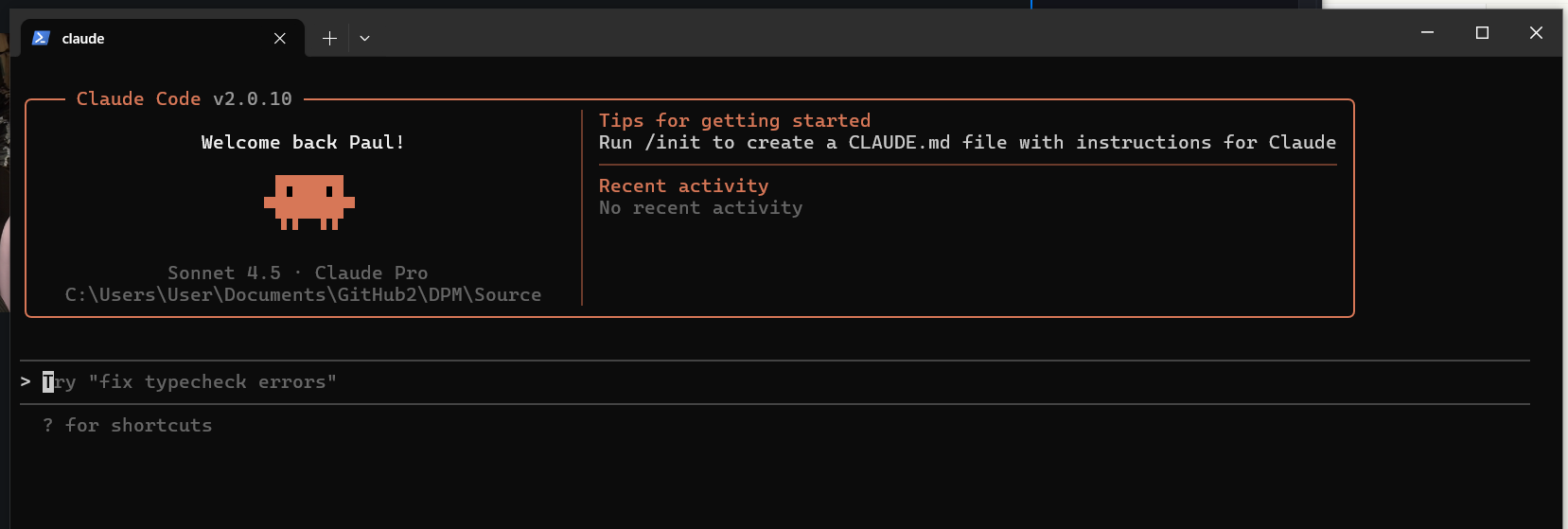
Having completely left the Delphi ecosystem now after 20 years, it is really interesting how critical training data is to the LLM’s. Because so little of the Delphi source code seems to be available for training the general code generation accuracy for Delphi when I do pop back and ask for examples almost always fail with invalid classes and clearly no access to either the full modern RTL/VCL etc or the benefit of the huge Github & similar public sources to train on.
For me this problem can only really be solved if a substantial amount of source code (a lot of which is private), including the enterprise VCL/RTL etc were all contributed to the next training of GPT6 etc.
In React/NextJS for example, it is rare not to get complete and working solutions just from thought bubble prompts.
The second observation I’ve made whilst experiencing one of the largest investments in dev tools in a generation and the most rapid change in the tools I’ve seen in my lifetime, is that it is now insanity for any further investment to be made in RAD Studio IDE. Embarcadero needs to make the tool chain a first class citizen in VS code. Anyone who is still going to be standing when the new IDE arms race ends is going to be based on that platform and it just runs rings around the tool we have for Delphi.
What does native mean? Is Claude’s code going to run on my PC? Will the file and time limitations still apply.
I am finding it more and more useful to use it. It can type faster than me. Often it comes up with extras that I wouldnt have bothered with.
I do have to give it a design document, describing things, including code style, names of clases and methods, etc.It gets class names and units wrong sometimes. Its javascript is rubbish. It’s css is pretty good. It often makes silly mistakes.
I have had offers from two companies to train their AI on Delphi. But at the moment I am earning more with my projects.
I find the AI (all of them) puny. If you throw a few units of 2000 lines of code each, at it, it chokes.
It is good for small tasks or boiler plate code.
_______
I rather lose time than gaining with the code written by the AI.
You will not get great results using any kind of AI chat. Use an IDE such as Windsurf or Cursor that has code indexing, tool use, and planning features. Most LLMs degrade in performance rapidly once you go above about 10k tokens in context. Windsurf and Cursor can semantic and keyword (regex) search your code base, take context from the IDE including which files are open, where your cursor is and what recent changes you made (as well as be directed to specific files or section(s) of code when you use @ mentions) which limits the context they use because they target the relevant code rather than take in an entire unit(s), and they then create a multi-step plan to implement the change that you requested. I’ve had a single prompt run for over half an hour. You still get hallucinations but the results will be greatly improved.
I recently did an experiment with a one-shot prompt of 375 words to create a reasonably complex Delphi component to compare a suite of models:
- Gemini 2.5 Pro web and Gemini 2.5 Pro in Windsurf
- GPT-5 web (it likely used medium or high due to “thinking longer for a better answer”) and GPT-5 medium and high in Windsurf
- GPT-5-CODEX in Windsurf
- Claude Sonnet 4.5 web and Claude Sonnet 4.5 in Windsurf
- Grok Code Fast 1 in Windsurf
The results varied from 500-2000 lines of code, plus 0-4200 lines of documentation and test data. The code quality varied from rubbish (many hallucinations, buggy code, missing features) to very good (two single line changes and working very well but with a bug or two). One of the models cloned an open source repo to my local of an existing Delphi library that implemented half the solution and then generated the other half.
I have found the best results with Claude Sonnet 4.5 and GPT-5 medium or high - when used in Windsurf. The LLMs are still not masters in clean well designed code but you can review the changes and coach them to get much better results.
I have been getting pretty good results with claude code.. however it does take some effort to to get there.
- create a basic prompt that describes what you want to create. Include enough information to help steer the ai in the right direction.
- use multiple ai’s with the same prompt and ask it to create a product requirements document (prd).
- spend some time editing the prd into a single document (prd.md) with every detail needed to produce the initial revision (mvp)
- Start writing code - I generatlly create the basic interfaces and types. This is important if you want the generated code to fit in with your usual coding style.
- update claude.md with the rules you want to follow , eg naming conventions, tell it what libraries you are using (eg. dunitx, spring4d).
- in claude code, enter planning mode and tell it to read the prd.md and ask it to create a detailed plan - and tell it to write the plan to a document. do not let it continue with writing code.
- edit the plan.md as needed.
- tell claude code to implement the @plan.mdplan.md
In the last week I have used it to write lexer/parsers/ast/symbol tables, semantic analyzers for javascript, vbscript and powershell - including 3000 unit tests. All up around 70K lines of code(including the tests). I have it doing code suggestions/navigation etc. The intent is to use this to replace the existing rudimentary parsers in FinalBuilder.
I could have written them all myself, it would have taken 3 months and I would not have anywhere near the unit test coverage that I have now.
There are some caveats
- working with ai is like working with a 200 iq dementia patient, keeps forgetting where it is.
- check everything it does, don’t be afraid to stop it mid task and tell it what it is doing wrong
- when all your tests are passing, be suspicious - ai has a habit of cheating to make tests pass (hard coding values in the code).
- Keep telling it to write more tests - focus on basics then edge cases.
- the free plan will get you nowhere
- the $20 plan will drive you nuts when you keep hitting the 5hr usage limit in 5 minutes and have to wait for it to reset
- The $100 max plan has worked well so far.
In reality, I feel like I have gone back 30yrs to my corporate days writing specifications and test plans. It does force you to think ahead more (not a bad thing).
I find it works best when you can give it clear tasks. I would never point it at my entire exsting project source code - I use it to create subsystems that I can plug into my project once it’s ready.
That’s pretty much the same summary that I presented internally, with emphasis on reviewing every change that AI makes in every file, and that if you’re struggling to get AI to make a change successfully and have been reviewing and improving your prompt and it still fails after several attempts then it’s time to code it the old fashoned way  .
.
As for Claude Code, I would put that pretty much in the same bucket as Windsurf and Cursor in terms of improvement over web chat coding but the experience is not as polished, even with the VSCode extension. OpenAI’s Codex Cli is also getting planning features soon and may be another good alternative (and there are other less frequently used tools but I’m not across how good they are). The thing with CC and Codex and other cli based tools is that the user experience is not as good as Windsurf or Cursor. Each tool has it’s pros and cons but the tight integration in the forked VSCode IDEs allows for more features compared to the VSCode extensions or terminal only tools.
For subscription costs I have seen lots of people complaining about the limits in CC but none with Windsurf which has a “credit” cost metric, where one prompt = 1 default credit regardless of the context size or number of steps required to complete the prompt, and each model has a different credit multiplier (e.g. Sonnet 4.5 = 3x, GPT-5 high reasoning = 2x). So the US$15/mo Pro plan gets you 500 credits ~= 165 prompts with Sonnet 4.5, or around 8 per day (remember they can perform complex changes), and add-on is US$10 for 250 credits (~80 prompts).
Remember, one cannot do any tests in the webbrowser because you cannot control the temperature. For any meaningful test the temperature needs to be set to zero. Otherwise, you will get a certain answer when you ask the question first time. Then you one a new tab and you ask the same question again and can you get a totally different answer (much better/worst than the first one).
if Temperature <> 0 then PlayTheDice else GetAccurateAnswer;
Calude just tried to convince me today that a piece of code in my LightSaber library is wrong because (his words) “strings in Delphi are indexed in zero”!
This is my punishment for playing with the “dumb kid”.
in claude code, use the memory feature
# delphi strings are 1 based
I have a bunch of these things, like do use inline variable declarations (developing libraries that support older versions).
do I have to put after # all the language rules/features ?
(joking)
I haven’t started using Claude Code yet as I don’t really want it to alter my files.
I have some issues with it on the browser.
- I have a generic direction that says do not code until I explicitly ask you to. Then I repeat it for each session. Yet the beggar goes ahead and generates code. It wastes time as I cant abort it and chews up my resources.
- I have a habit of sprinkling to-do Items in my code where I have doubt about something or I haven’t fully tested it. I tell it to ignore those. Yet it goes into a loop saying there is a comment there about it so, its faulty.
- It is better now, but it used to return files with unix line endings. At least Delphi will restore the Windows ones. But it doesn’t help me with non Delphi files
- Despite repeating it, it often changes my filenames from
xx.yy.xx.pastoxx_yy_xx.pas. This could cause real issues and time wasting if its doing it directly on my PC.
I do back up often - on my USB disk and two GIT archives. But it would be counterproductive if I have to keep checking these things every time it changes the files.
I am considering going this way, only because I have to keep closing sessions as it runs into limits and starting new ones, then I have to upload files again.
Any comments anyone?
- If I can have a session per project (in its lingo), a piece of code of several units - will the session continue indefinitely? If so, this would be a plus.
You can abort in the GUI app … there’s a small black square where you enter prompts and submit : 
But I know what you mean. I have only added to any particular prompt … “Summarise and plan/outline a solution. Do not produce code details yet.”
Claude code allows you to /rename sessions - I do this because I often have multiple sessions running - and I have occasionally accidently exited claude (or windows update rebooted my machine) - if that happens I can just start claude again and /resume the session - having meaningful names helps a lot with that.
If you are hitting limits often, then it can help to start a new session. Also, don’t put too much in your CLAUDE.md - as it reads that every time a session starts. I put a high level overview of what the project is about, plus any rules I want it to use. Anything else (product requirements) go in separate documents which I ask claude ot reference when I need to.
As for claude modifiying files, I always work with version control, and when ever a task is completed, I commit - claude can actually use git to rollback too - I have done that quite a few times when it has gone off on a wrong tangent - thankfully that is happening less often these days. I always review code changes it makes, sometimes I fix things myself and sometimes I tell claude what to do.
This is the super power that experience devs like us have over “vibe coders” - we can tell when things are suboptimal and fix the code ourselves or give feedback to claude to fix it.
BTW, if you are just using the GUI app or the chat window - you are not getting much out of claude (or any other ai). The power of claude code is it’s agentic nature. It hands tasks off to specialised agents that are experts at specific tasks - the result is much better than even a few months ago.
Make use of plan mode in claude code (shift tab until you see “plan mode on” in green) - that uses planning agents, and does not write any code. It also saves you from having to tell it not to write code all the time!
Another really useful feature of Claude code - Agent Skills. Basically you provide instructions for how to do something - and the next time you ask claude to perform that task, it will match with the skill and use it’s instructions to guide you. It’s incredibly powerfull. There are tons of pre-built skills out there, one I have used a lot in the last few weeks is the front end design skill - I suck at designing web ui stuff - with this skill I was able to create good looking web sites/apps - and then iterate on those. It’s a major leg up for design challenged people like me.
What plan level do you use for Claude? I assuming Pro or Max?
I am guessing, from what you’re saying, you’re using just Claude and not something like Augment Code?
I’m using Max, with VSCode. I haven’t ventured into the VSCode forks yet, finding VSCode does pretty much what I need right now.
Hi Rohit,
It takes a bit of a leap of faith to use AI on an established code base. Use version control diligently. Before using Cursor/Windsurf/Claude Code etc move sensitive info, such as production credentials or API keys, into config files in a separate root folder (that info should not be checked in to version control), or set up ignore files for the AI coding assistant so they are not read or indexed. Get your code into a clean state with all changes committed and pushed. This will give you confidence that you can use AI to read and modify your code and you can always revert back to a known good state.
Taking Windsurf as an example, you can work with the AI model to plan out the steps first before implementing any changes. When you proceed with the changes you can see, and later review, a detailed sequence of steps with thinking as it checks off each task in the plan. You can also review the summary of changes once they are complete. All modified files are listed and all changes in those files are highlighted using diff formatting. You can easily move between the changes and accept or reject individual changes (or the entire set of changes across all files as a whole). If you accept the changes and continue further changes with the model you can also revert to previous states in the conversation (ie. multiple undo points). This is all in addition to your use of version control. Sometimes when I am working on some changes over a longer session but don’t want to commit just yet, I will “stage” the changes while I continue the conversation and only once I am satisfied with the results will I stage the final changes and commit.
On your points: line endings - in Windsurf (not sure about other tools) you can set the line ending style to use. Renaming files - I have never experienced this. Unexpected changes from todo comments - that would occasionally happen in the earlier days with AI coding assistants but I haven’t seen it for quite a while.
One thing that is often briefly mentioned as an example use case is using AI to ask questions about your code base. This is likely underutilised. The response can be quite detailed but well structured and include clickable links to files, functions, and sections of code. Windsurf also has a feature named Codemaps which is great when trying to understand code or data flows.
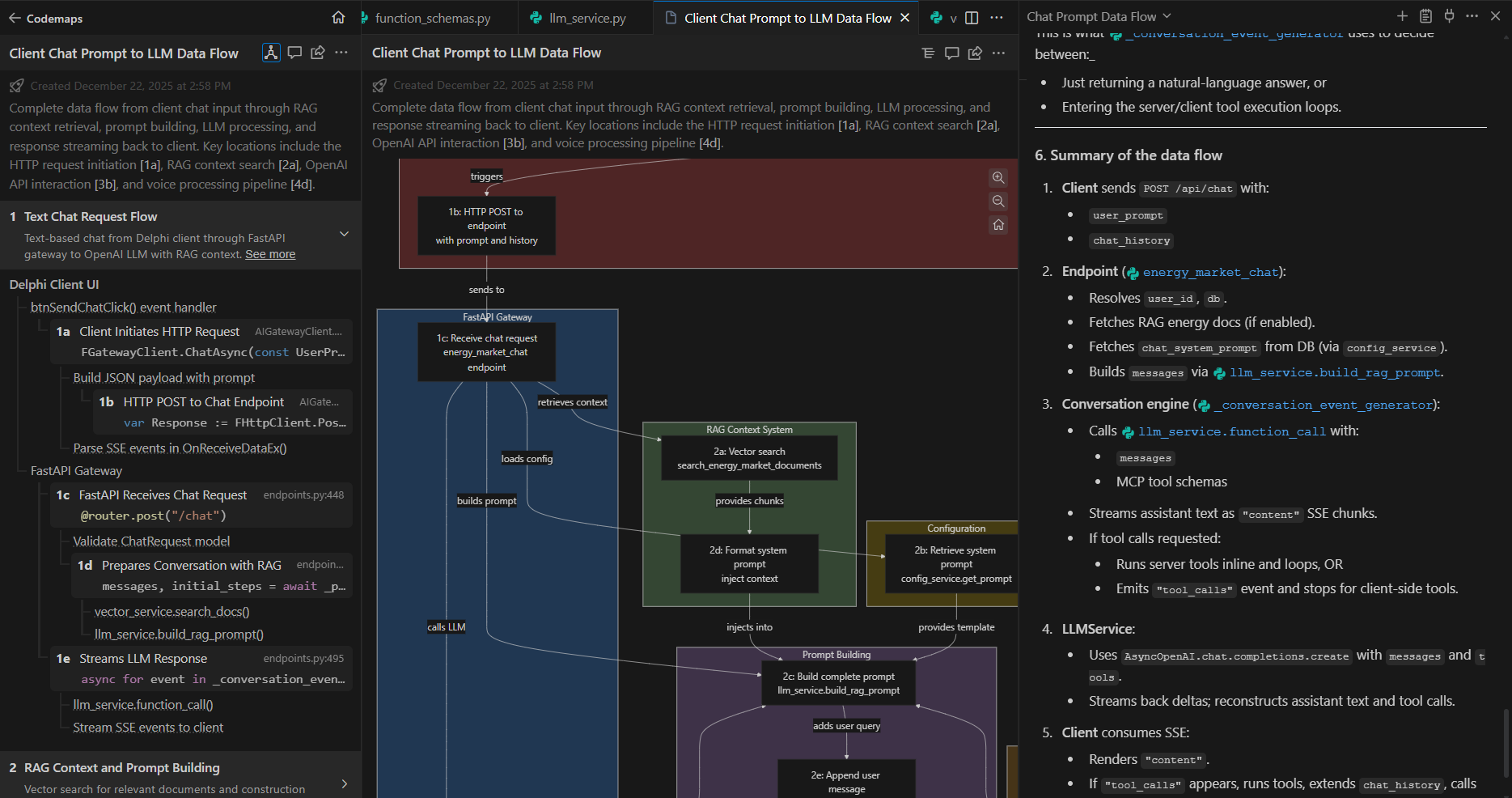
Windsurf - typical AI model prompt response on the right (more descriptive answer but structured, clickable code links) and alternate views of the Codemaps response: text on the left, diagram in the center (labelled sections in the text and diagram are clickable and take you to the corresponding code in the editor).
So I say go for it - use version control well and review all changes made by AI (easily identifiable within the conversation messages, in the editor, and in version control before accepting or committing). Work on your prompts - spend a bit more time formulating the prompts by thinking of the AI model a bit like Mr. Spock - assume that it may take things a bit literally so you need to be clear on what you want and don’t want and think about what details you may have left out.
Cheers,
Jarrod