Hi Rohit,
It takes a bit of a leap of faith to use AI on an established code base. Use version control diligently. Before using Cursor/Windsurf/Claude Code etc move sensitive info, such as production credentials or API keys, into config files in a separate root folder (that info should not be checked in to version control), or set up ignore files for the AI coding assistant so they are not read or indexed. Get your code into a clean state with all changes committed and pushed. This will give you confidence that you can use AI to read and modify your code and you can always revert back to a known good state.
Taking Windsurf as an example, you can work with the AI model to plan out the steps first before implementing any changes. When you proceed with the changes you can see, and later review, a detailed sequence of steps with thinking as it checks off each task in the plan. You can also review the summary of changes once they are complete. All modified files are listed and all changes in those files are highlighted using diff formatting. You can easily move between the changes and accept or reject individual changes (or the entire set of changes across all files as a whole). If you accept the changes and continue further changes with the model you can also revert to previous states in the conversation (ie. multiple undo points). This is all in addition to your use of version control. Sometimes when I am working on some changes over a longer session but don’t want to commit just yet, I will “stage” the changes while I continue the conversation and only once I am satisfied with the results will I stage the final changes and commit.
On your points: line endings - in Windsurf (not sure about other tools) you can set the line ending style to use. Renaming files - I have never experienced this. Unexpected changes from todo comments - that would occasionally happen in the earlier days with AI coding assistants but I haven’t seen it for quite a while.
One thing that is often briefly mentioned as an example use case is using AI to ask questions about your code base. This is likely underutilised. The response can be quite detailed but well structured and include clickable links to files, functions, and sections of code. Windsurf also has a feature named Codemaps which is great when trying to understand code or data flows.
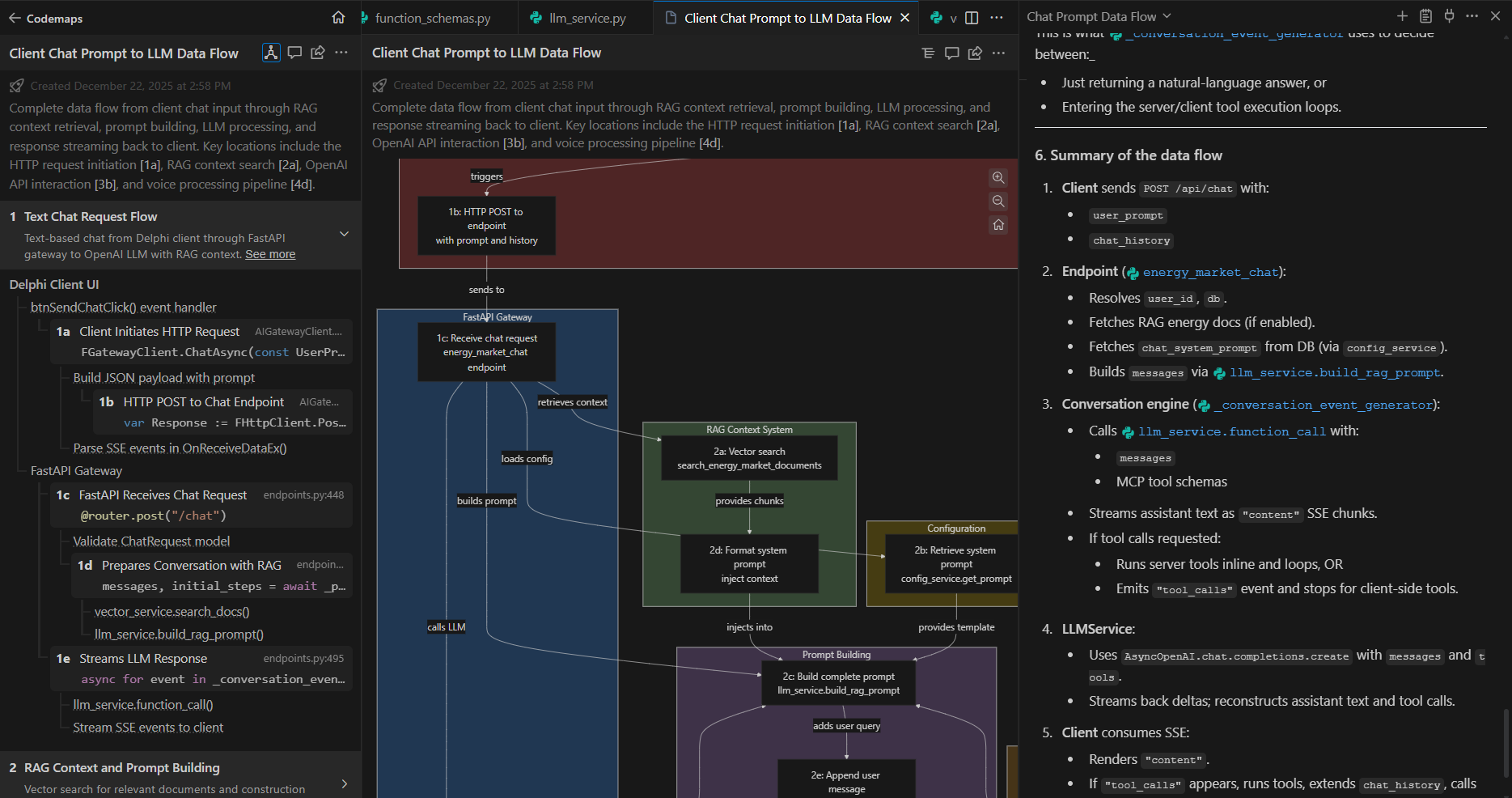
Windsurf - typical AI model prompt response on the right (more descriptive answer but structured, clickable code links) and alternate views of the Codemaps response: text on the left, diagram in the center (labelled sections in the text and diagram are clickable and take you to the corresponding code in the editor).
So I say go for it - use version control well and review all changes made by AI (easily identifiable within the conversation messages, in the editor, and in version control before accepting or committing). Work on your prompts - spend a bit more time formulating the prompts by thinking of the AI model a bit like Mr. Spock - assume that it may take things a bit literally so you need to be clear on what you want and don’t want and think about what details you may have left out.
Cheers,
Jarrod