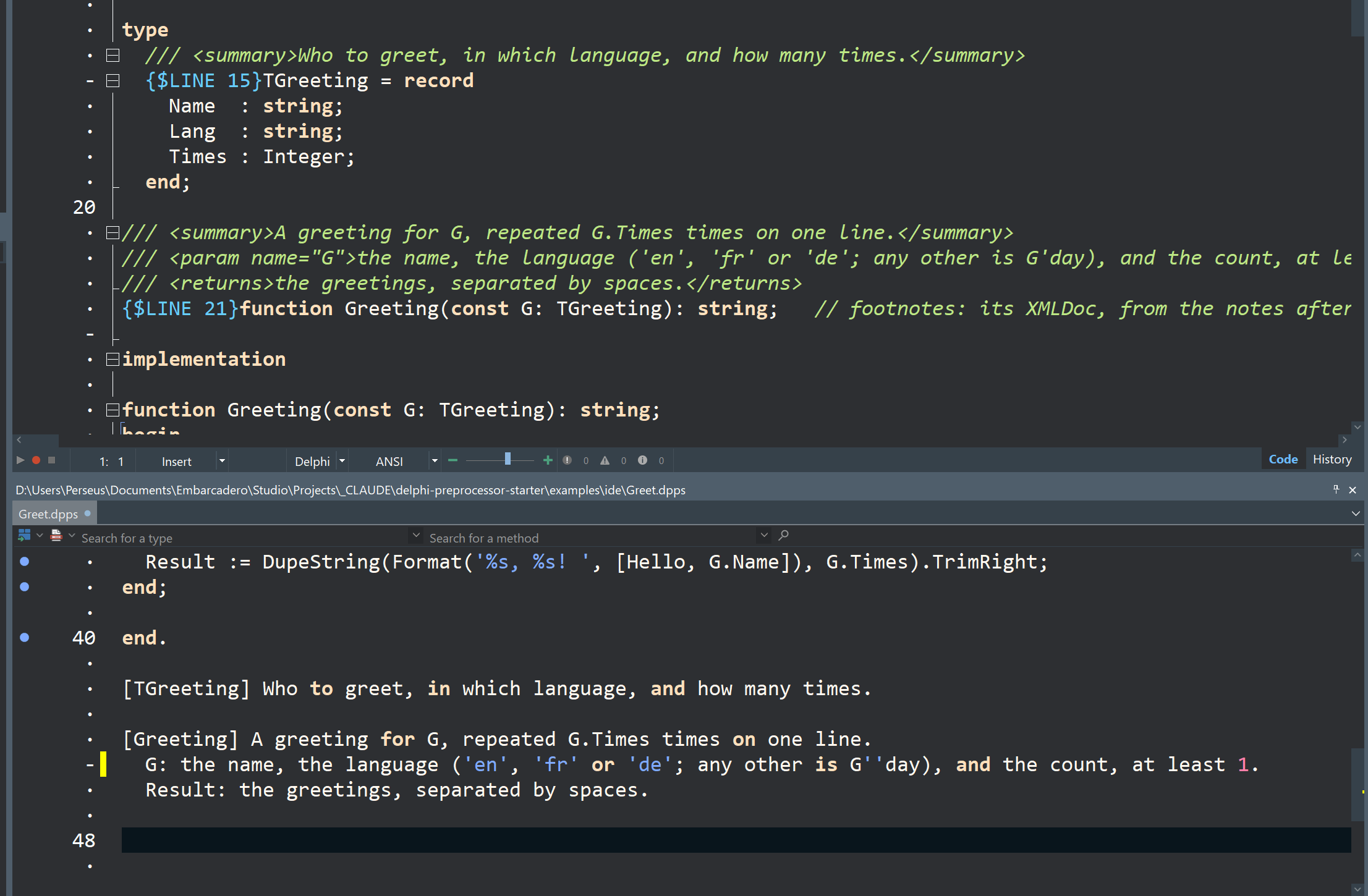
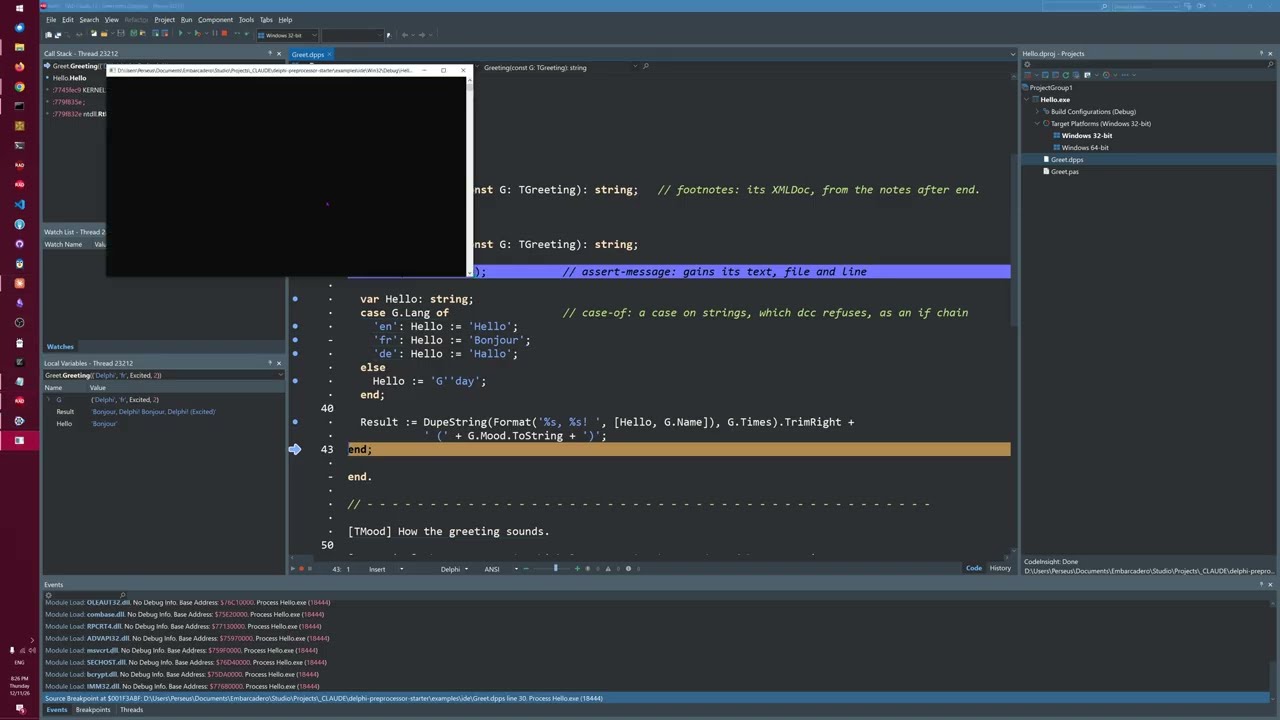
The idea of it is that you can make up some rules or syntax you’d like to add - or subtract I guess - from Delphi, and it will make you a command-line transpiler to do that … ie create delphi source code to compile the normal way.
It might look a bit opaque - but I have Claude working on a friendly, zero-knowledge assumed introduction doc.
I had a feeling I may have gotten ahead of myself .. see first post.
This understands Delphi 13, and can re-write code according to rules you write.
I got Claude to fact-check me.
The idea is that you write rules over ordinary Delphi source: checks that flag things you’d rather not see (subtracting from the language, like with), and rewrites that change code into other code.
You get a command-line preprocessor that runs your rules over a file or a whole codebase and gives you plain Delphi to compile the normal way.
It works on standard Delphi syntax; adding new syntax means extending the grammar, which is a bigger job.
An example of a rewrite: Assert(Count > 0) → Assert(Count > 0, 'Orders.pas:41: Count > 0')
Adding new syntax means extending the grammar. The parser is tree-sitter, and its Delphi grammar (tree-sitter-delphi13) is a JavaScript file of rules. You write a small grammar of your own that inherits that one and adds or changes rules: say, a new kind of statement.
tree-sitter generate turns it into C, which you compile into the DLL or object files the tool loads, in place of the prebuilt ones. The new construct then shows up in the tree as a node like any other, and a rewrite rule turns it into ordinary Delphi, so the output still compiles with the normal compiler.
That’s how Delf works: its grammar extends the Delphi one, and its transpiler writes plain Delphi.
I’m confused. Is this a preprocessor, or is it a coding standards enforcement tool?
The slides show a with statement example. It seems to warn about the ambiguity. But in order to do that we have to write quite a lot of code using a fairly non-obvious syntax?
providing the possibility of changing the text in the tree
and writes out the tree as an output file
This and TS4D operate off the grammar mentioned above, aimed at current, standard Delphi .. so that prob puts some limits on what it can be used for.
My Delf project takes the standard grammar and has been mutating it in order to try and express new syntax … AND transform that into standard Delphi code … as well as imposing certain code checks that feel important.
Oop, I had had a thought … and then it had disappeared.
As we add examples of what’s possible to this ‘Lego Starter Set’, like the ‘Multiple Uses’ just added … this should provide an answer over time. Maybe others will experiment and add stuff too.
I have enjoyed using an AI to edit and advise, very much, very recently … but I think an important difference between using a program, and asking an AI is …
the program is deterministic, and
you can run (and evolve) a suite of tests both on, and with, the program.
so - in short - control, and transparency, I guess
Thanks to treesitter, & Claude knowing about Zed, we have
syntax highlighted code
blame (normal Zed feature I guess)
(rust-like ghost types)(Delf)
hover errors
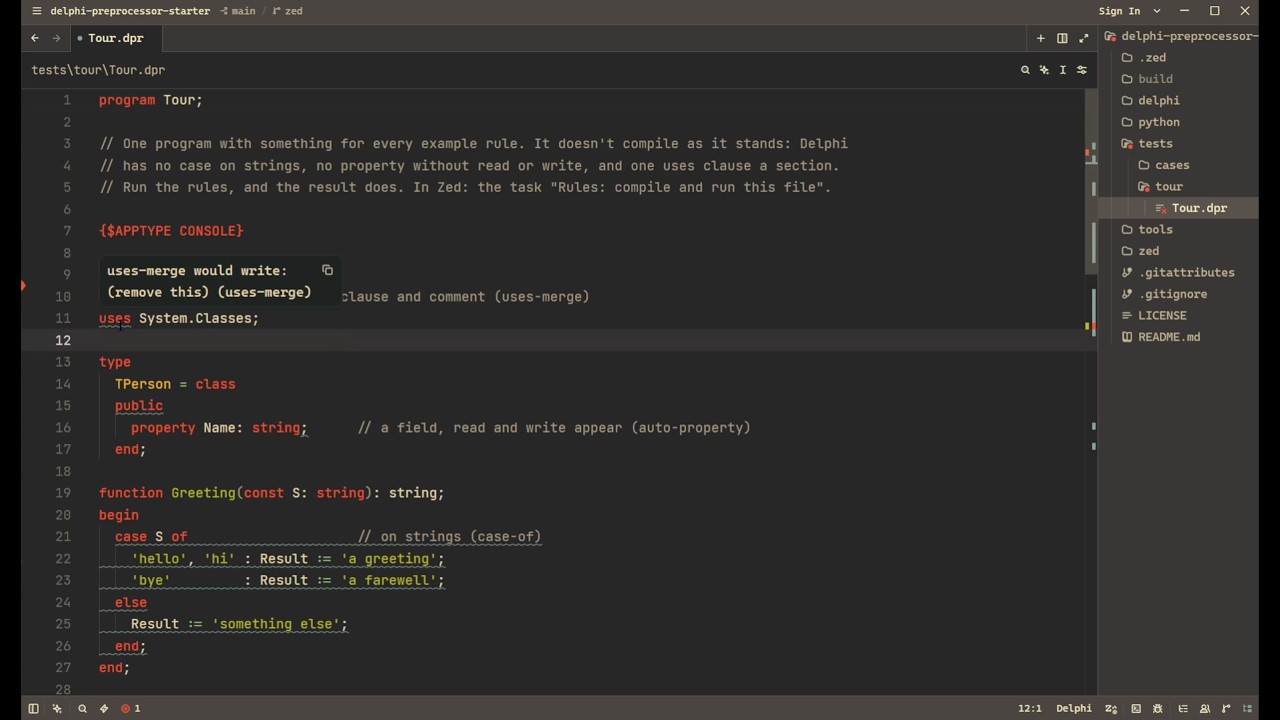
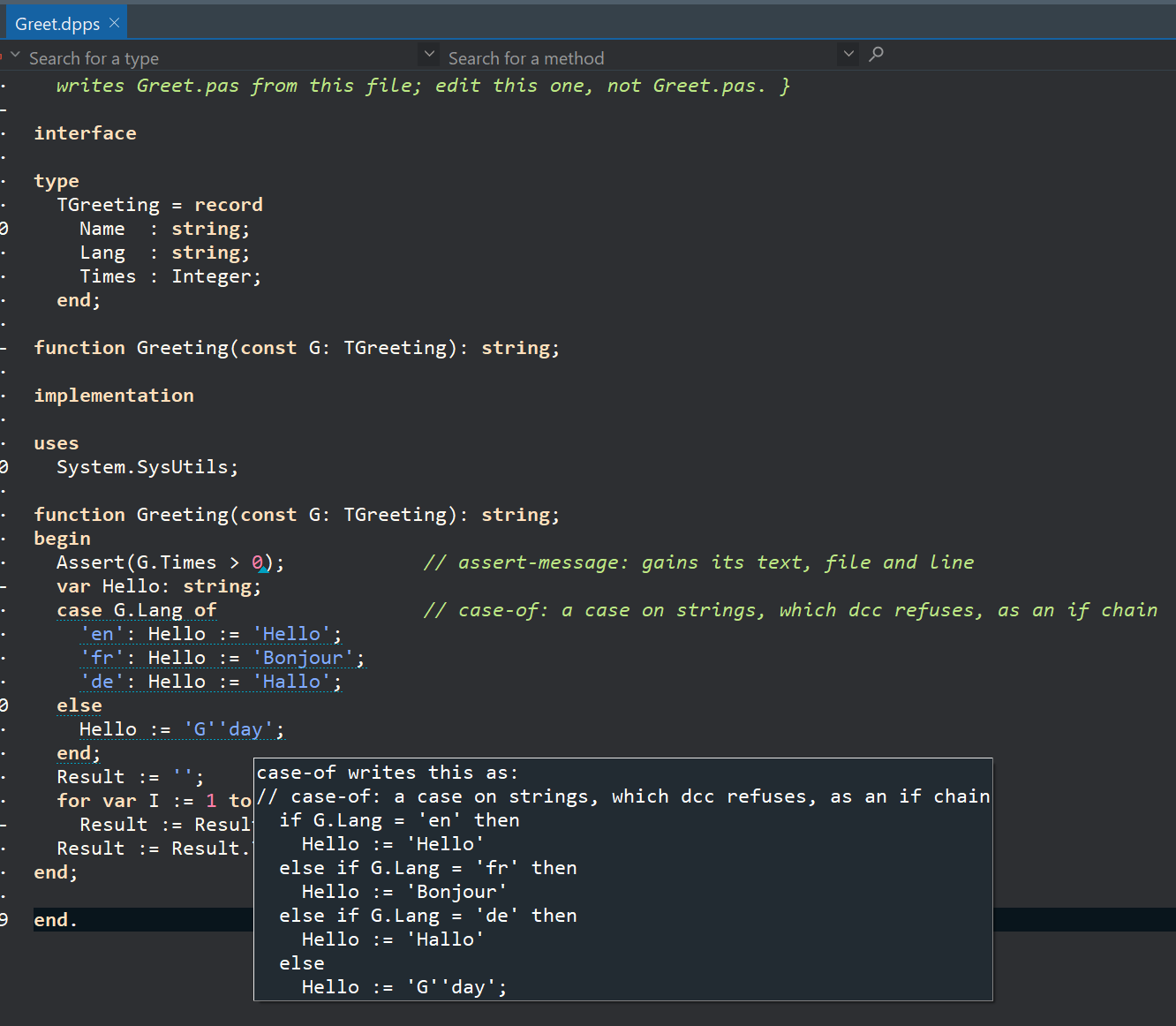
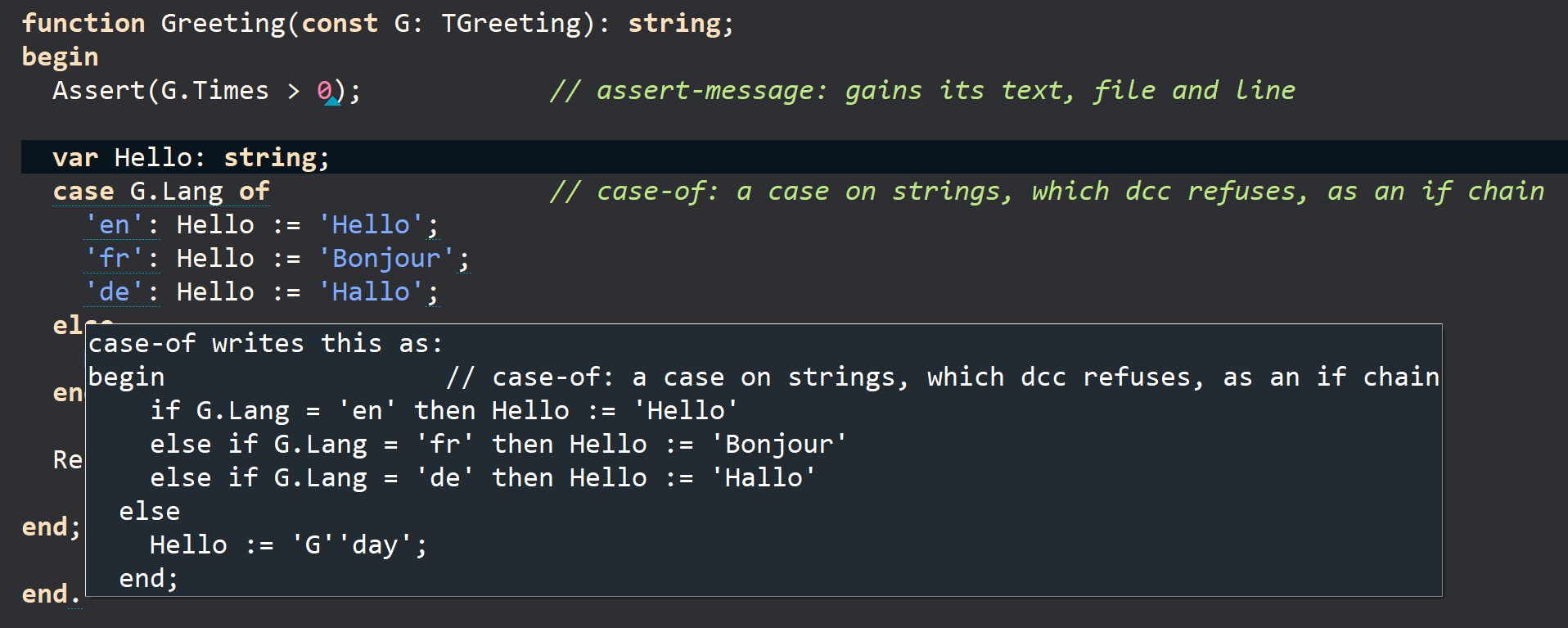
hover rewrite previews
code completion suggestions (single keywords)
red squigglies
ligatures
and rewriting before command-line compile.
This is just the standard Delphi 13 grammar, as best it has been able to be represented by the D13 repo … plus the opportunity to add your own rewrites and code checks.
You need python on your system, and Rust initially for Zed to incorporate the Extension.
The DPPS repo has beginner-oriented pdf’s for installation (and a tick-box web version), and same again to hand-hold the basic rule development (in Python and Delphi).
It comes with example rules, each in Python and in Delphi, with tests:
case-of: case on strings, and on class types. Rewritten as the if-chain Delphi can compile.
uses-merge:
as many uses clauses as you like, each with its own comment. Merged into one clause.
auto-property: property Name: string; with no field and no read/write.
The field and both accessors are written for you.
assert-message: Assert(Count > 0) becomes Assert('Orders.pas:41: Count > 0'), so a
failed assert says where and what.
double-quotes: 'say "hi"' becomes 'say ''hi'''. Not useful, just a simple example.
It’s a tiny rewrite example for the Python walkthrough builds.
with and with-try:
Two different code checks, rather than rewrites. Every with statement is reported in one, and same plus any empty except or finally in the other. (Switched off by default.)
All the rewrites run on a copy, so your file is never touched in compilation.
But any of the rules can be applied (and ^Z undone) as a code action in the source file.
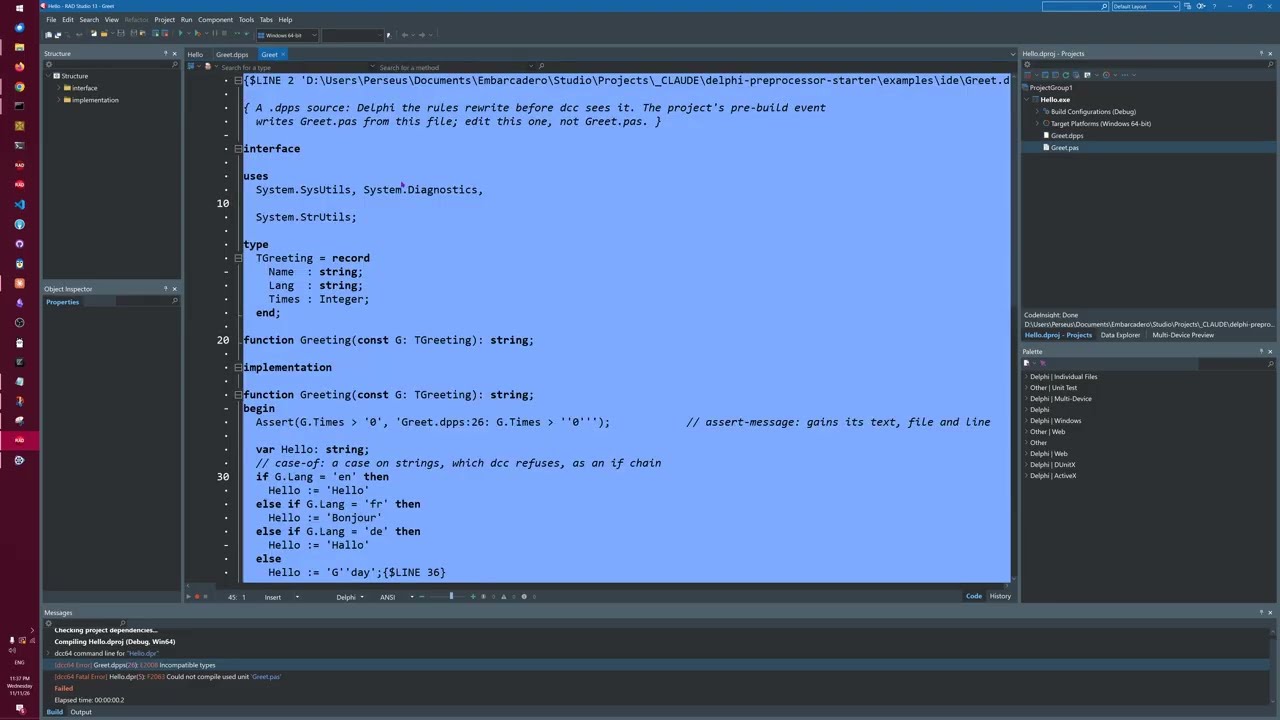
Compile errors point at your own line numbers, despite the re-writing.
Short video introduction (7 mins) showing rewrite-compilation of an Example file, with multiples Uses, String cases, Object cases, double quote rewriting, etc
I forgot to try erasing and typing eg “class”, or uncommenting the “Ooops” line.
I was curious what default highlighting would make of this code.
program Tour;
// One program with something for every example rule. It doesn't compile as it stands: Delphi
// has no case on strings, no property without read or write, and one uses clause a section.
{$APPTYPE CONSOLE}

uses System.SysUtils;
uses System.Classes;

type
  TPerson = class
  public
    property Name: string;      // a field, read and write appear (auto-property)
  end;

function Greeting(const S: string): string;
begin
  case S of                     // on strings (case-of)
    'hello', 'hi' : Result := 'a greeting';
    'bye'         : Result := 'a farewell';
  else
    Result := 'something else';
  end;
end;

function KindOf(L: TObject): string;
begin
  case L.ClassType of           // on class types (case-of)
    TStringList : Result := 'strings';
    TList       : Result := 'pointers';
  else
    Result := 'unknown';
  end;
end;

begin
end.
So … this is entirely last-30-minutes-new and just rough ideas .. but …
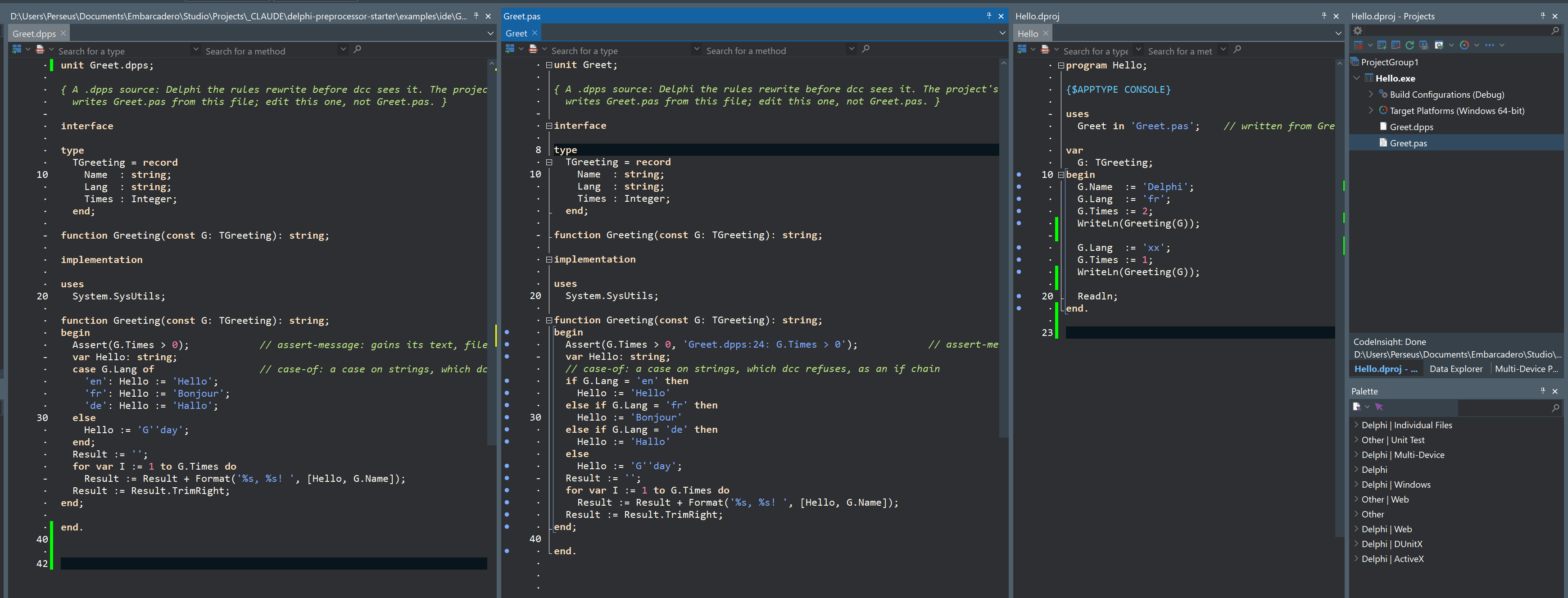
Claude announced that Delphi has an inter-file mapping directive, that allows the compiled code from one file to be line-mapped across to a different file.
This is standard delphi, standard OSS grammar, with a delphi pre-build program doing the file rewriting from the .dpps file to the .pas on build.