The DPM Package Manager is approaching Release Candidate status - has anyone here actually tried it (recently)?
DPM makes it simple to install libraries, and their dependencies. Open a project in the IDE, the dpm plugin ensures the project’s dependencies are loaded (including design time components) and available on the search path. We have extensive documentation covering most features and I’m working on some video tutorials. Supports XE2 or later.
There are currently 48 packages, including Spring4D (prerelease), DUnitX, Graphics32, VirtualTreeView , SynEdit, Omnithreadlibrary etc. More are on the way. If there is an open source library you would particularly like to see made available let me know - I’m working with several authors to get their libraries published. I have contacted some commercial vendors - still waiting for a response from most :man-shrugging:
This project is open source available on github (for security reasons, I made the server project private). Feedback welcomed.
Well I’m looking for people to try it (installing packages) but also people with libraries to share.
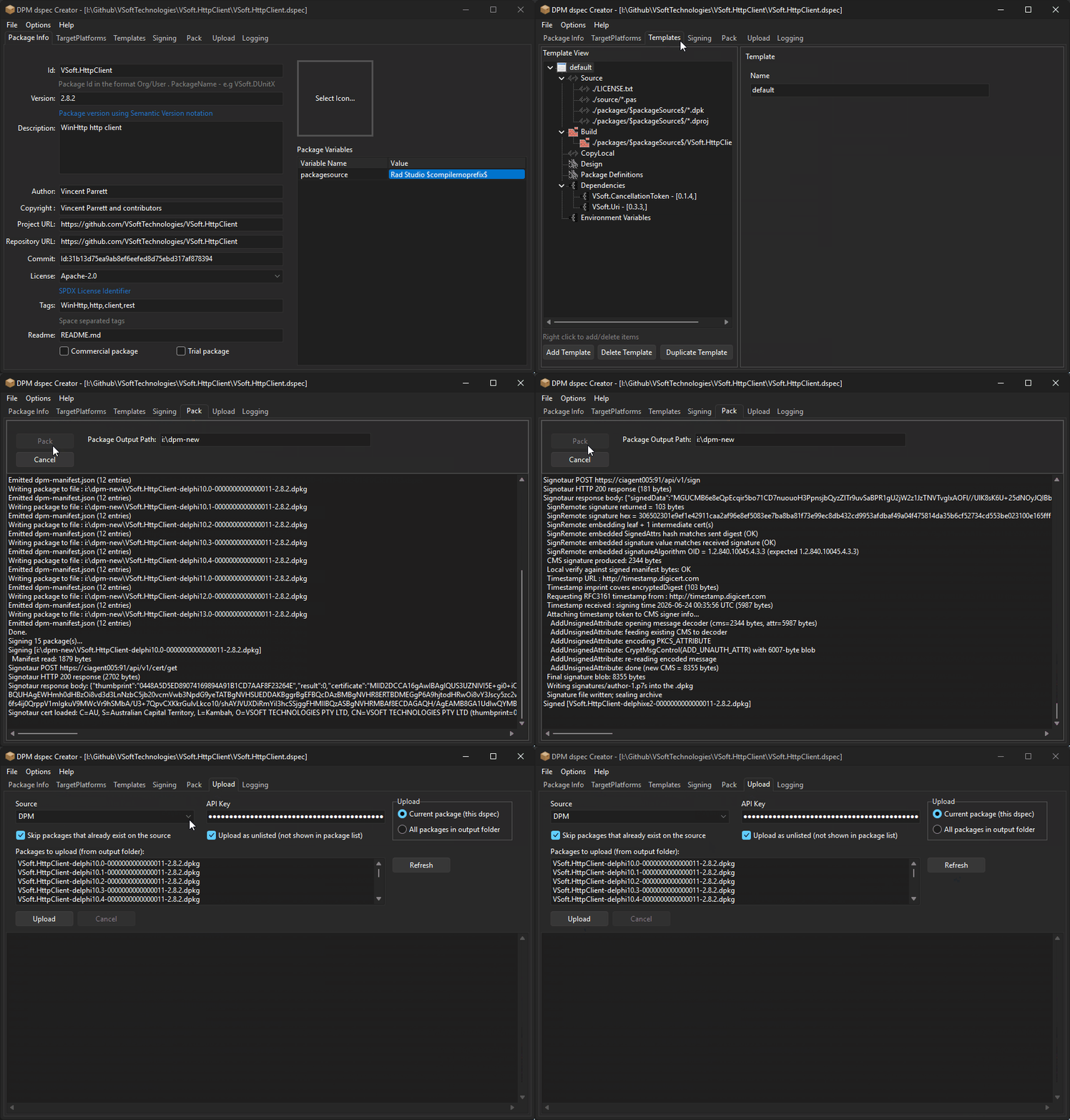
The DPM Installer also installs a tool DSpecCreator (created by @Geoff ) which makes it easy to create a package spec (dspec file) and also to pack, test and upload it).
Let me know if you need any help, if it’s on github (or another host) then point me to it and I’ll see how well it would fit as a dpm package (mostly about repo org etc).
I will give your manager a whirl this weekend. I will also send the collapsible grid to you directly as a zip file, if that is ok with you. I have not ventured to GitHub yet. It’s on my list.
Vincent, I think I have Git set up correctly so you can download the component. Try this: https://github.com/tmartindub/Collapsible-DBGrid-v1_0 .
This was my first time fiddling with Git but hopefully no problems. Thanks for the “GitHub for Beginners” tutorial.
Well, I was thinking about projects and forgot that the grid is a component both for FMX and VCL so it uses .dpk package files, which are in Git, and has no .dproj file.
So does that mean you cannot use it in your app? It’s an interesting component, my first success.
DPM uses the dproj to compile the packages (using msbuild) during the first install - so that consumers then only reference the pre-compiled dcu’s. That improves compile times significantly.
Looks like an issue with 13.0 vs 13.1 - I’m only testing using the latest patch version of each delphi version - which is why I haven’t seen this issue before.
This is the offending line
[ComponentPlatformsAttribute(pidWin32 or pidWin64 {$IF CompilerVersion > 36.0} or pidWinArm64EC{$ENDIF})]
The problem is that the Delphi compiler doesn’t create different CompilerVersions for the .x update releases.. I’ll see if I can find a way around this (since I am maintaing this version of SynEdit now since pyscripter’s demise)
@Delphi_programmer I create a pull request with the dpm support files. This includes package files for Delphi 10.4+ (I based this on one of your ps scripts that had references to those versions).
Next steps. Note that #2 is optional, but it provides traceability between the dpm packages and the source code on github.
Merge the pull request and git pull to update your local copy
In the repo you will see 2 new files
post-commit.txt - a post commit hook that updates the dspec file with the current commit hash
gitconfig.bat - a script that configures the post-commit hook
run the gitconfig.bat to install the post-commit hook.
make a change in any file - we need a commit to force the commit-hook to run to update the dspec.
Signup on https://delphi.dev - login with github is the simplest option (using email/pwd will require enabling 2fa). Once logged in, click on the profile avatar (top right) and the “API Keys”. Create an API Key and save the value somewhere temporarily.
Open the .dspec file in the repository by double clicking on it - that should open it in DSpec Creator. Go to the Pack tab and set an output path (can be anywhere). Click on Pack.
Switch to the Test tab, check the compiler versions you have installed, click on Start Test. That will test that the packages can be compiled correctly.
Switch to the Upload tab. Fill in the API Key and then click on Upload.
Assuming that all goes well, your dpm package will be live in dpm (and on the website) in a few minutes (it had to go through validation, av scan etc first).
I know this all sounds like a lot, but it only takes a few minutes.
I don’t have the errors for GDK.Microsoft365 and I cannot seem to run the installation again. DPM in the IDE states that the package is installed, the project has the package in its DPM Packages but the package is not in the IDE’s list of packages (not that I can find anyway).
Would you please indicate how I delete then re-add GDK.Microsoft365 into my project?
That library does not have any design time components, it’s just a class library. See the readme
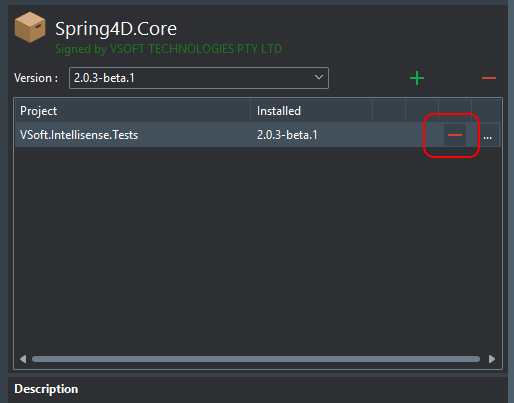
To uninstall a package, select the package in the dpm package list (in the IDE plugin), then on the right hand side, next to your project, click the remove button
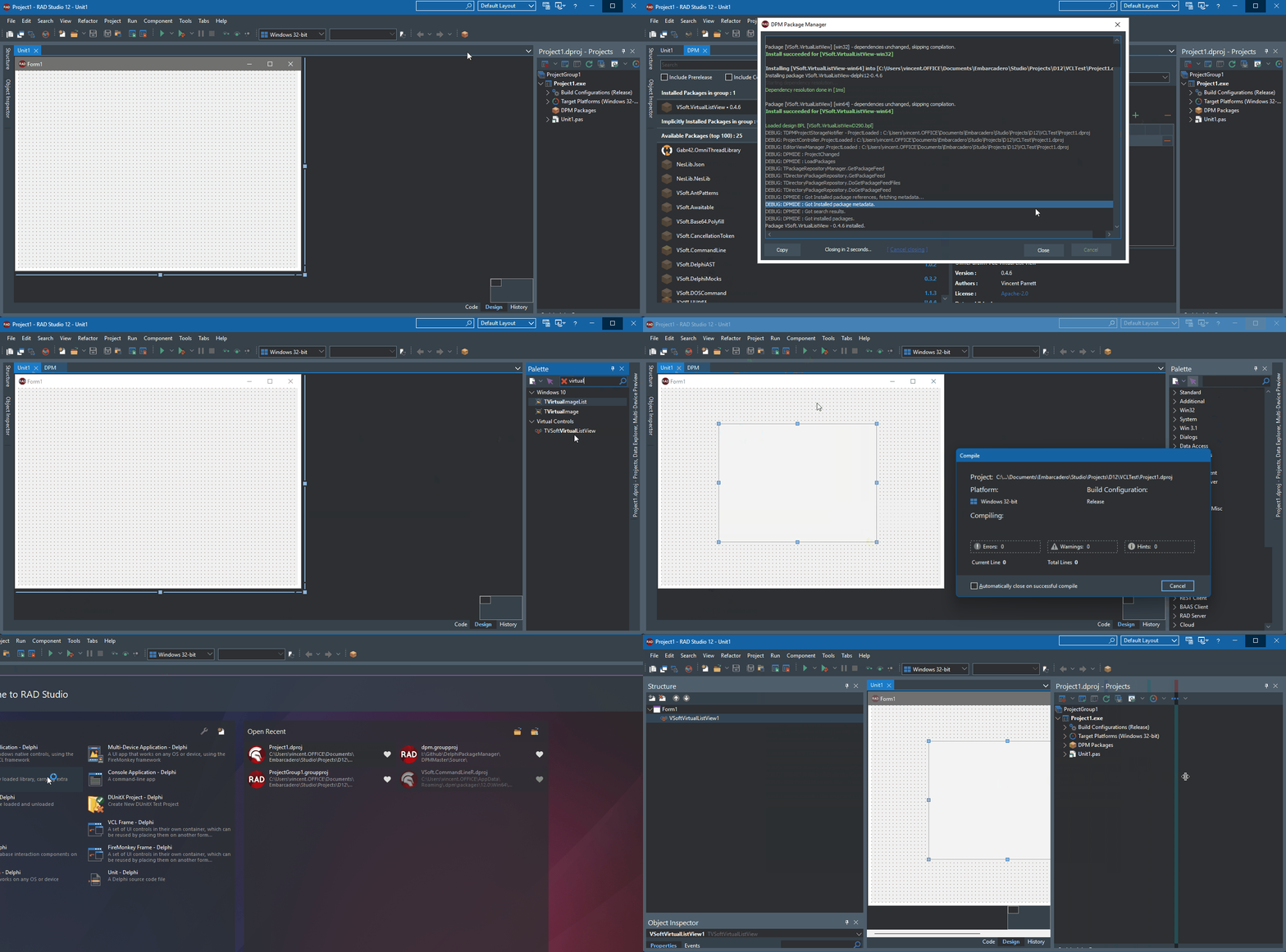

 .
.